
Learn how to use Florida's free Sunbiz search to verify businesses, check name availability, understand entity status, and register your company.
Before starting a business or working with one in Florida, it's smart to verify the details first. You may want to confirm that a company is active, check whether your preferred business name is available, or make sure you're dealing with a legitimate business. Fortunately, Florida makes this process simple through its free Sunbiz business search.
Sunbiz is the state's official business database, giving you access to important information about registered businesses in just a few clicks. In this guide, we'll show you how to use the Florida business entity search, explain what your search results mean, and walk through the next steps if you're ready to reserve a business name or form your own company.
By the end, you'll know exactly how to search with confidence and avoid common mistakes.
Key Takeaways
There are nine ways to do a business search. Sunbiz looks up entities by Entity Name, Officer/Registered Agent, Registered Agent Name, Trademark Name, Trademark Owner Name, FEI/EIN, Document Number, Zip Code, or Street Address.
You cannot look up an unknown company's EIN on Sunbiz. The FEI/EIN search only works if you already have the number. Sunbiz will not reveal an EIN from a company name.
Sunbiz has no expedited filing option. The Division processes documents strictly in the order received, with no rush fee available at any price.
What Is the Florida Business Entity Search
Sunbiz is the Florida Department of State, Division of Corporations' free, no-login business database. It lists every corporation, LLC, limited partnership, and nonprofit registered in the state, along with its document number, entity type, status, principal address, and registered agent. [1]
Sunbiz is operated by the Division of Corporations under the Florida Secretary of State. The same portal handles entity formation, annual reports, fictitious name registration, certificates of status, and trademark filings, but the search tools covered here are the ones most people are looking for when they type "Sunbiz" or "Florida business search" into Google.
Does the Sunbiz Search Confirm Name Availability?
Not directly, but Sunbiz gives you more than most states do here. Search results show each matching entity's status, and Florida publishes an explicit status chart telling you exactly which statuses mean a name is free to use. [2] A search showing no active or recently inactive match is a strong signal, though filing an official name reservation is still the only way to get the Division to commit to holding a specific name for you.
How to Search for a Business Entity in Florida
Step 1. Go to the Official Sunbiz Portal
Open the Sunbiz Business Search. [1] No account or login is required, and there is no fee to search.
Step 2. Choose Your Search Type
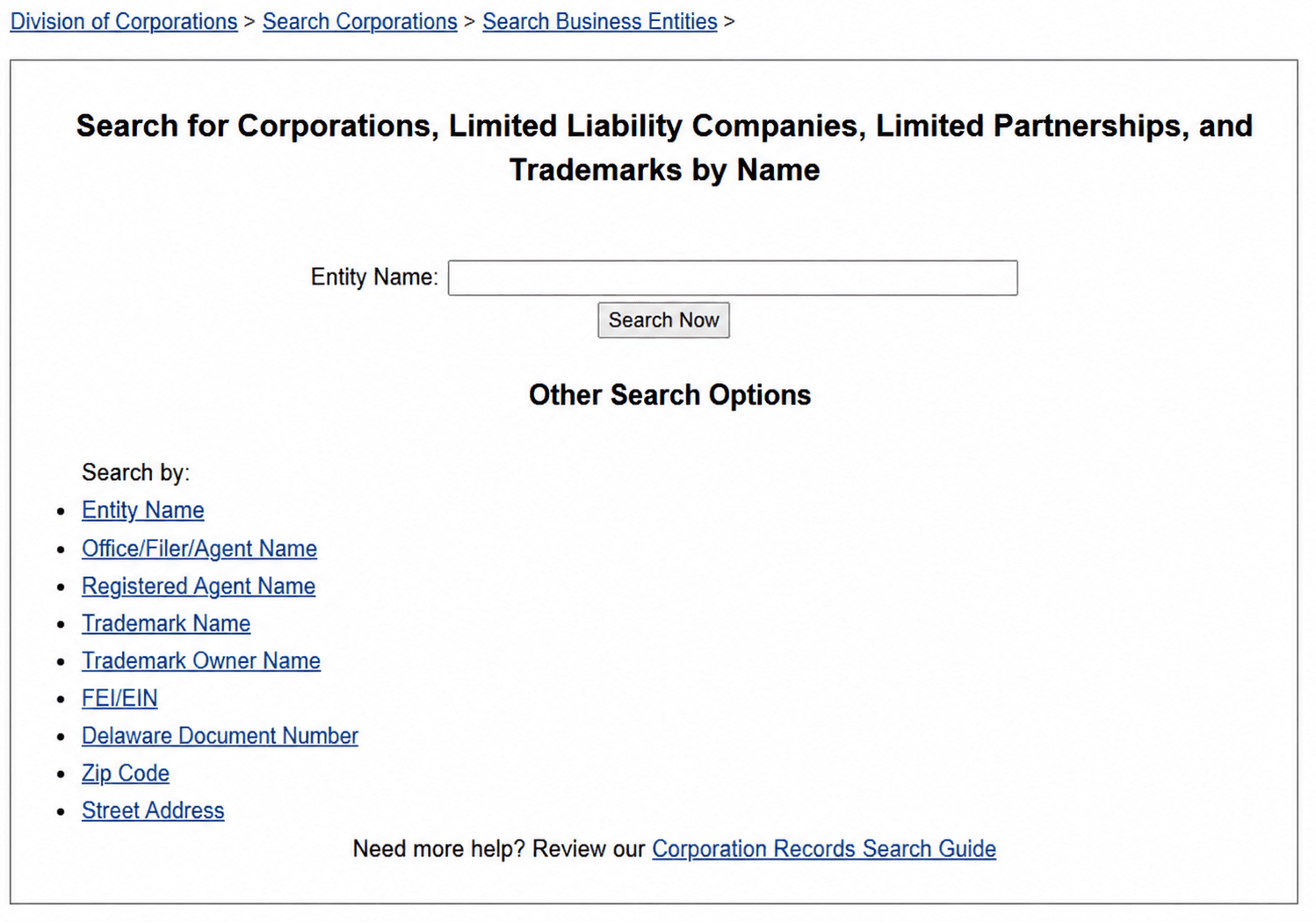
Entity Name is the default and most common option, but Sunbiz offers eight more ways to search:
- Officer/Registered Agent,
- Registered Agent Name,
- Trademark Name,
- Trademark Owner Name,
- FEI/EIN,
- Detail by Document Number,
- Zip Code
- Street Address.
The last two are useful when you know roughly where a business is located but not its exact legal name.
Step 3. Enter Your Search Term
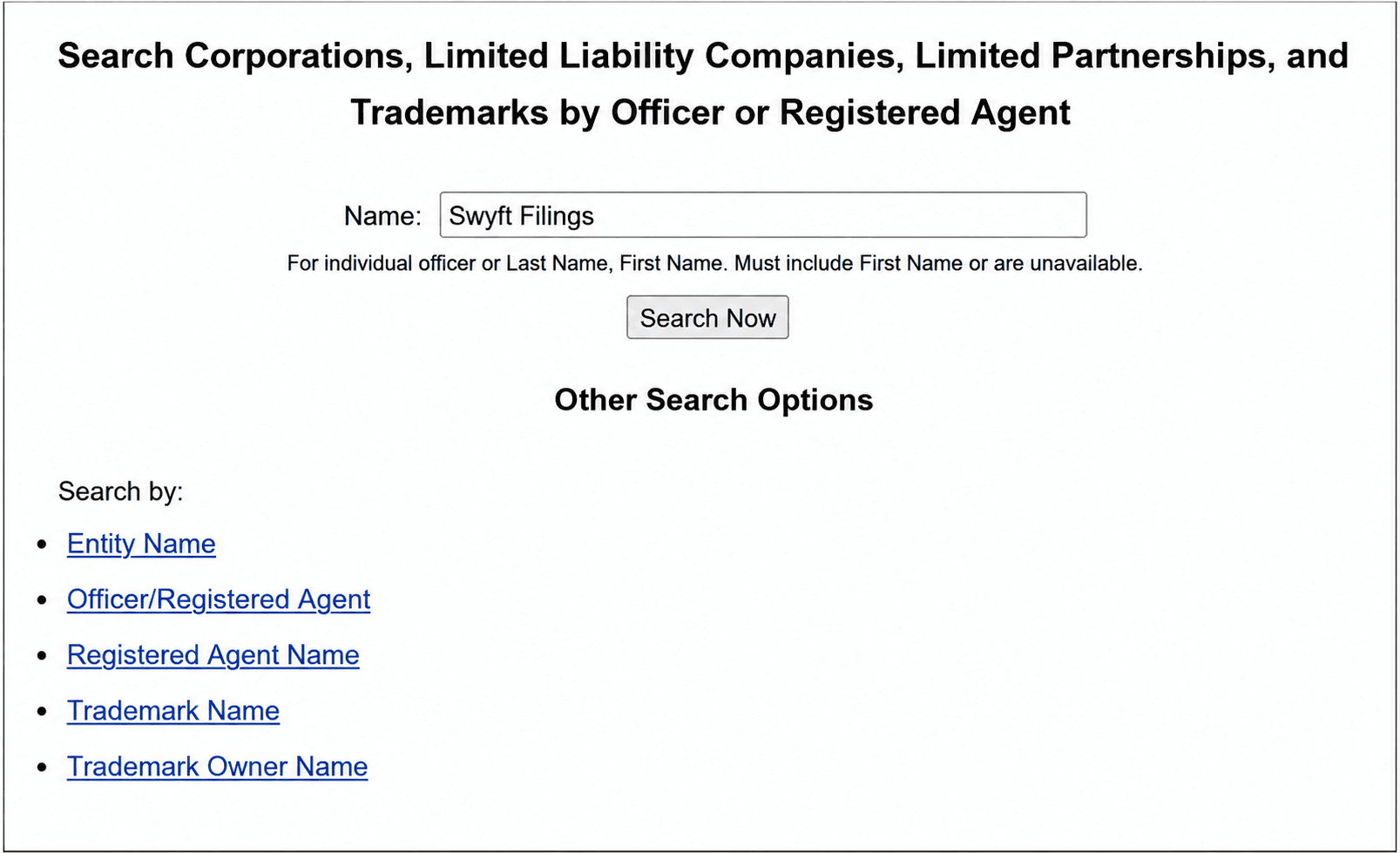
Type the name, officer, agent, number, or address into the search box. Sunbiz matches loosely by default, so searching a shortened or partial name usually still surfaces the entity you are looking for.
Step 4. Review Your Results
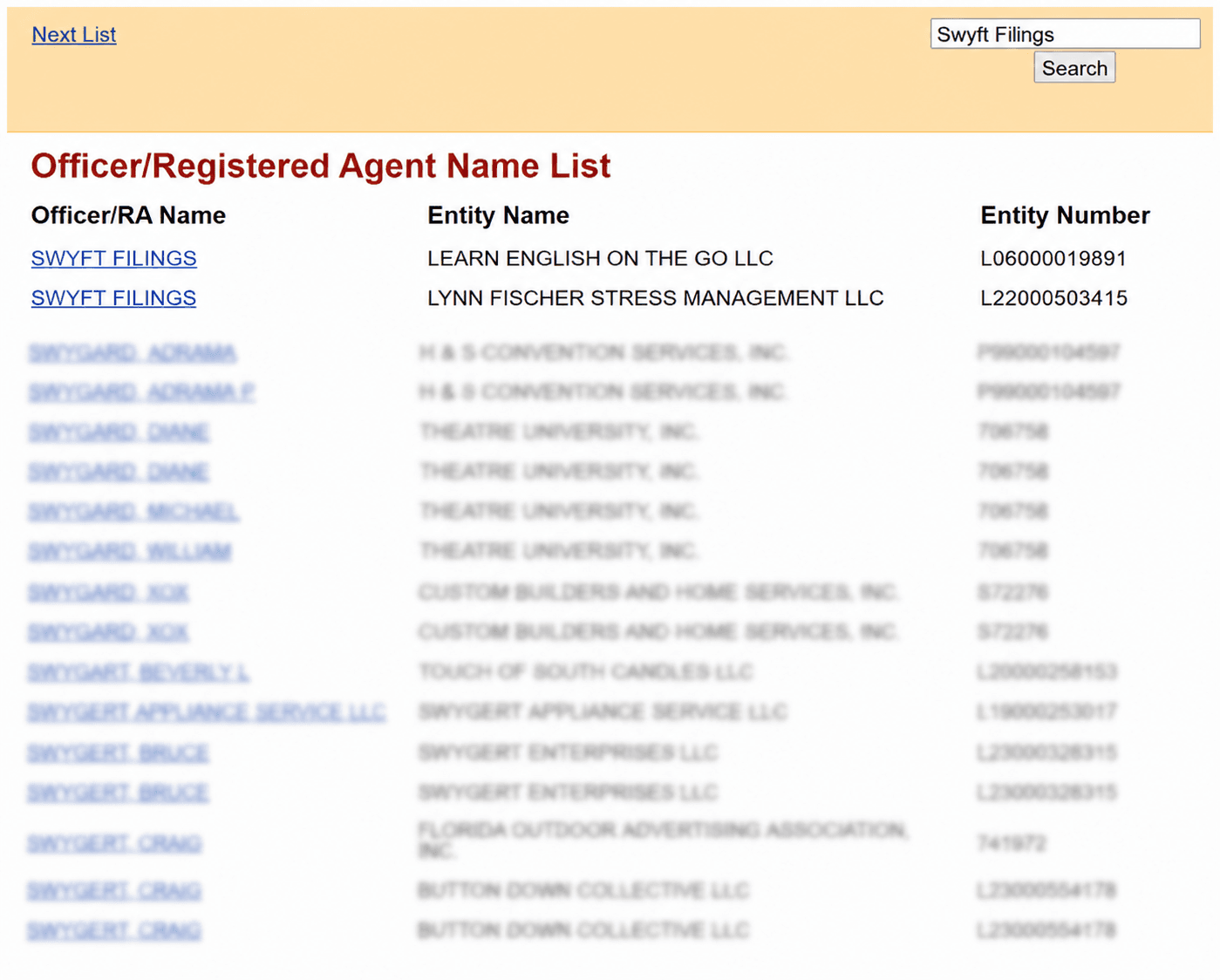
Results appear in a list showing the entity name, document number, and status. A newly filed entity's record typically posts within a few business days, since electronic filings appear on Sunbiz within 3 business days and non-electronic filings within 5 business days of examination.
Step 5. Open the Full Entity Detail Page
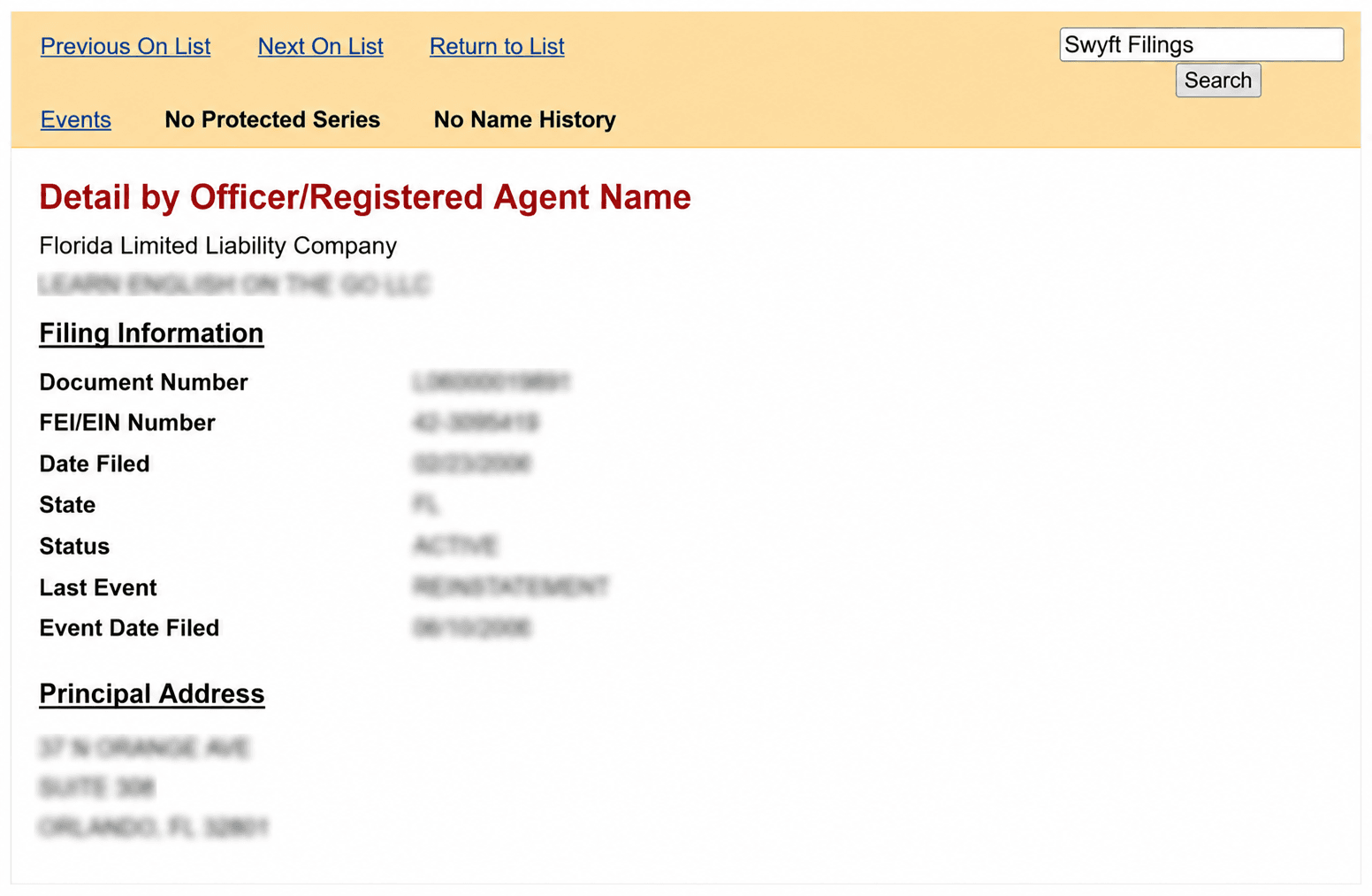
Click any result to open its detail record, including principal and mailing address, registered agent name and address, filing history, and images of most documents filed since 1996, available to download free of charge.
How to Read Your Sunbiz Search Results
What Information Is Public
- Legal entity name and document number
- Entity type and current status
- Filing date and state or country of formation
- Registered agent name and Florida street address
- Principal and mailing address
- Officer, director, manager, or authorized representative names, when listed on a filing
- Images of most filed documents since 1996
What Information Is Not Public
- The company's federal EIN or FEIN, unless you already have it to search by
- Beneficial owner information beyond what officers or managers choose to list
- Financial information such as revenue, assets, or bank details
What Does Entity Status Mean
Sunbiz publishes an official chart clarifying exactly which statuses mean a name is available to reuse: [2]
Status | Meaning | Available for Reuse |
Active or Act | Registered and in good standing | No |
Inactive/UA | Administratively dissolved or revoked; held for 1 year, or 120 days if voluntarily dissolved | No |
Inactive or Inact | Holding period has expired | Yes |
A dissolved or revoked entity's filing history remains visible on Sunbiz even after the holding period ends, so seeing an old company in your search results is not by itself a problem. If your own entity ever shows Inactive/UA because an annual report was missed, a reinstatement filing brings it back to active status.
How to Use the Search to Vet a Business
If you are running the search to check out a company before you deal with it, a few patterns are worth a closer look:
- A status of INACTIVE/UA (administratively dissolved or revoked) on a business presenting itself as fully operational.
- A very recent filing date on a company that claims a long track record.
- Several unrelated entities sharing one registered agent and address, which is often an ordinary registered-agent arrangement but occasionally warrants a closer look.
- Officer or manager names that do not match who you are actually dealing with, which you can cross-check against the filed document images.
Can You Look Up a Company's EIN Through Sunbiz
Only partially. Sunbiz's FEI/EIN search type lets you find an entity's record if you already know its federal EIN, but the Division does not publish a way to discover an unknown company's EIN starting from just its name. [2] An EIN is issued by the IRS, not the state, and Florida's entity detail pages do not display it for general public browsing.
Checking Name Availability and Reserving Your Name in Florida
Florida does offer a formal name reservation. It is not an instant online form; it works by mailed letter and holds a name for 120 days once approved. [2]
How to Reserve a Name
- Search Sunbiz to confirm your name is not already ACTIVE or held under an INACTIVE/UA status.
- Write and sign a letter to the Secretary of State specifying the exact name to reserve and the name and address of the applicant. [2]
- Mail the letter with the applicable fee. If the Division finds the name available, it is reserved for the applicant's exclusive use for 120 days.
Name Reservation Fees by Entity Type
Entity Type | Reservation Fee |
Limited Liability Company | $25 |
Corporation | $35 |
Limited Partnership | $52.50 |
Florida Business Name Conventions
Naming Rules For a Florida LLC
An LLC name must include "Limited Liability Company," "L.L.C.," or "LLC" at the end.
Naming Rules For a Florida C Corp:
A corporation name must include "Corporation," "Company," "Incorporated," or an abbreviation such as "Corp.," "Inc.," or "Co."
Business Naming Restrictions
- A name cannot imply a government affiliation or a purpose the entity is not actually organized to carry out.
- Terms like "Bank" or "Trust" require prior licensing approval before they can appear in a name.
What Makes a Name Distinguishable
Florida law lists several things that do not make one name legally different from another, with concrete examples straight from the Division's own guidance: [2]
- Suffixes: "Business Enterprises, Inc." and "Business Enterprises, LLC" are not considered different.
- Articles: "The Kitchen, Ltd.", "Kitchen, Inc.", and "A Kitchen, LLC" are not considered different.
- "And" versus "&": "Cheese and Crackers, LLC" and "Cheese & Crackers, Inc." are not considered different.
- Singular, plural, and possessive forms: "Tallahassee Sport, Inc.", "Tallahassee Sports, LLC", and "Tallahassee's Sports, LP" are not considered different.
- Punctuation and symbols: "Cookies 'n Cupcakes, Inc.", "Cookies-n-Cupcakes, Inc.", and "Cookies n Cupcakes! Inc." are not considered different.
Leave these elements out entirely when you run your own availability search, since Sunbiz will not treat them as distinguishing factors either.
What are the Other Searches to Run Before You File
A clear Sunbiz result is only part of clearing a name, because the state search does not compare your name against trademarks or your online presence. Before you commit, run a few checks Sunbiz does not cover:
- Federal trademark: Search the USPTO database to make sure your name does not conflict with a registered mark, which carries nationwide rights the state search will not surface. Florida's own fictitious name guidance explicitly recommends this step.
- Florida state trademark: The Division of Corporations registers state trademarks and service marks separately from entity names, searchable on Sunbiz through the Trademark Name search type.
- Fictitious names: Because Florida allows duplicate DBAs, search existing fictitious names so you at least know who else uses a name before adopting it.
- Domain and social handles: Confirm a matching website domain and the social usernames you want are free before you settle on a name.
When To Consider a DBA (Fictitious Name) Search in Florida
Unlike states that handle DBAs at the county level, Florida registers every fictitious name statewide through Sunbiz, so a single search covers the entire state. [3] Search the free Sunbiz fictitious name records before you file, since Florida does not screen names for conflicts on your behalf and will accept the same fictitious name more than once. [4]
- Newspaper publication required first: Florida law requires you to advertise the intended name at least once in a newspaper in the county of your principal place of business before you register it.
- Statewide fee: $50 to register, $50 to renew, and $50 to cancel.
- Term: valid for 5 years, expiring December 31 of the final year; you must renew during that year to keep the name.
- No changes once filed: a fictitious name registration cannot be changed, removed, canceled, or refunded once submitted, so review everything before paying.
If you are rebranding an entity you already formed rather than adding a second operating name, a business name change filing is usually the better fit than a fictitious name.
What is the Cost to Search and Reserve a Business Name in Florida
The search itself is free. These are the costs that come up once you act on what you find, whether that is reserving a name, filing a new business, or keeping it in good standing.
Item | Cost |
Sunbiz Business Search | Free |
Name Reservation (120 days) | $25 LLC / $35 Corp / $52.50 LP |
Fictitious Name (DBA) Registration | $50 |
Certified Copy | $30 LLC / $8.75 Corp |
Certificate of Status | $5 LLC / $8.75 Corp |
Let Us File Your Florida Business
Once your search confirms a name is clear, and you understand the fees involved, filing is the only step left. Swyft Filings handles the LLC, C Corp, and Nonprofit paperwork, state fees, and mailing so you can focus on running the business instead of tracking forms. We also offer registered agent service, DBA filing, and annual report filing. Tell us about the business you want to build, and we will handle the paperwork.
Bibliography
- Florida Division of Corporations. Search Records (Search for Corporations, LLCs, LPs, and Trademarks by Name). Accessed July 27, 2026.
- Florida Division of Corporations. Division FAQs. Accessed July 27, 2026.
- Florida Division of Corporations. Florida Fictitious Name Registration. Accessed July 27, 2026.
- Florida Legislature. Florida Statutes 865.09, Fictitious Name Registration. Accessed July 27, 2026.
Other Important Resources
FAQs
Yes. Dissolved and revoked entities remain in Sunbiz search results with their status shown as INACTIVE/UA or, once the holding period passes, INACTIVE or INACT. Their filing history stays visible even after the business stops operating, and any status starting with ACTIVE or held under INACTIVE/UA is not yet available for someone else to use.
Run the Officer/Registered Agent search type if you know an individual's name, or open a specific entity's detail record and check whether officers, directors, managers, or authorized representatives are listed there. Titles are often abbreviated on Sunbiz, such as MGR for manager or AR for authorized representative, so check the actual document image if a title is unclear.
Choose the Detail by Document Number search type and enter the number exactly as assigned by the Division. This is the fastest way to pull up a record if you already have a document number from a prior filing, contract, or certificate.
No. Sunbiz confirms whether a business entity is registered with the state, not whether it holds an active professional or occupational license. Verify licenses for regulated professions through the Florida Department of Business and Professional Regulation, and check occupational licenses with the relevant county.
No. A reservation confirms the Division reviewed your requested name and found it available at that moment, but the same distinguishability review happens again when you actually file your Articles. A name that cleared reservation can still be flagged if a conflicting entity registers in the meantime.