
Verify a California company's status for free with bizfileOnline, and learn why checking name availability works differently here than in most states.
A company name and an entity number can tell you a lot if you know where to look. California's Business Search, run through bizfileOnline, is free and returns an entity's registration date, current status, and agent for service of process in seconds.
One thing works differently here than in most states: there's no instant "is this name available" checker. You search the database yourself for conflicts, then confirm officially with a $10 Name Reservation good for 60 days.
Here's how to search an existing company, check your own name, and read what the results actually mean.
Key Takeaways
California's Business Search tool (bizfileOnline) is free and public.
Search by entity name or entity number to confirm a company's registration date, status, and agent for service of process.
Checking name availability works differently in California than in most states: there's no instant "available/not available" checker.
You search the database yourself first, then confirm availability officially by filing a Name Reservation.
What Is the California Business Search Tool
The California Business Search is a free, public lookup tool run by the California Secretary of State’s Business Programs Division through bizfileOnline.
Use it to confirm an entity’s registration date, current status, entity number, jurisdiction, and agent for service of process. You can search by entity name or by the entity’s assigned number, and results return instantly.
Entity numbers follow a set format: California corporations receive a 7-digit number with a "C" prefix, while LLCs and limited partnerships receive a 12-digit number. If you already have the entity number, searching by number is faster and avoids the confusion caused by similarly named companies.
The tool covers every entity type California allows people to form or register, including:
- Domestic corporations (C corps and S corps electing at the federal level)
- Limited liability companies (LLCs)
- Limited partnerships (LPs) and limited liability partnerships (LLPs)
- Foreign entities registered to do business in California (formed elsewhere, qualified in California)
General partnerships and sole proprietorships are not required to register with the Secretary of State, so they will not appear in a search unless they voluntarily file a Statement of Partnership Authority.
How to Conduct a California Business Entity Search
Step 1. Go to the Official California Portal
Go to the Secretary of State’s free official Business Search tool. No account or login is required to perform a basic search.
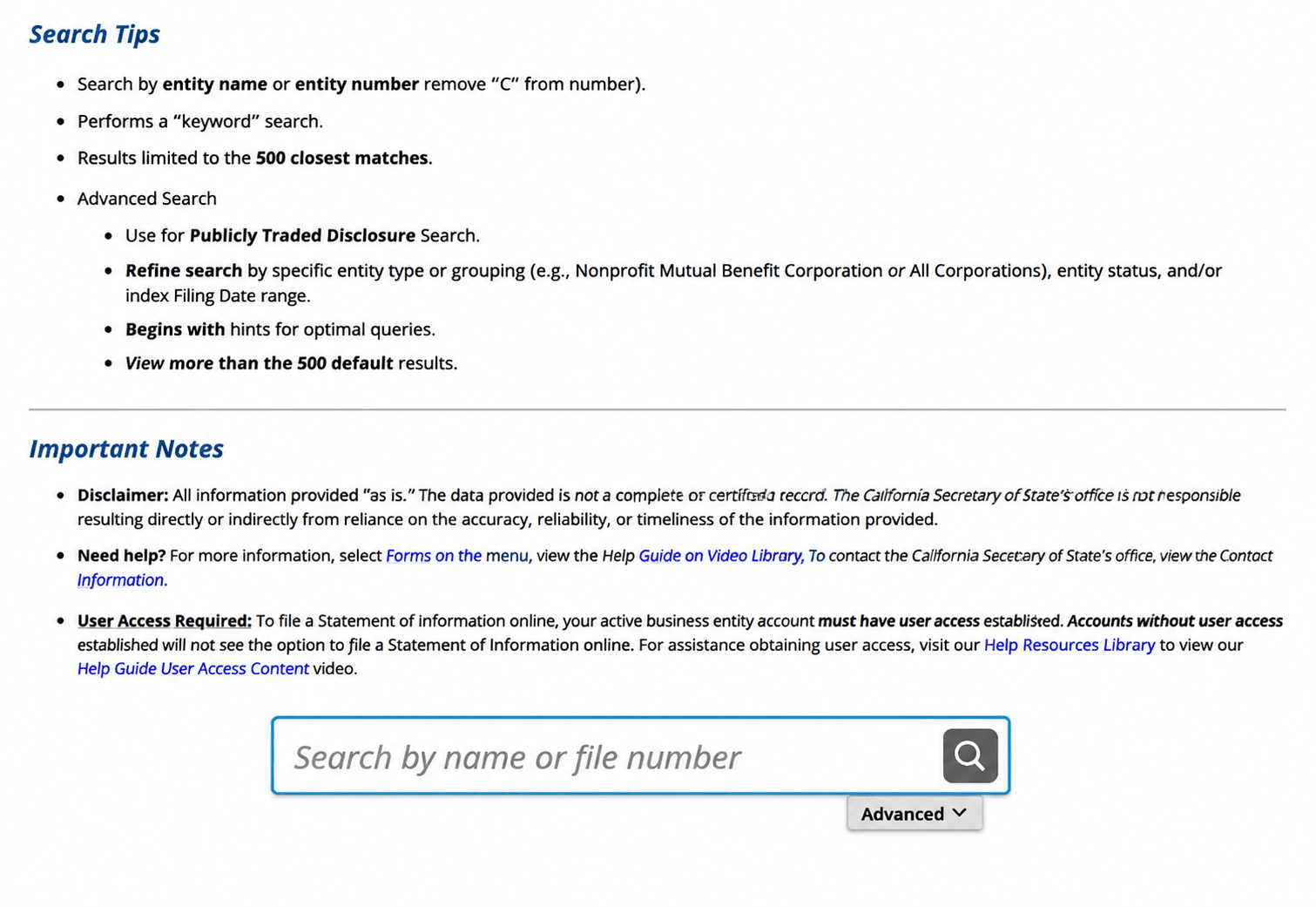
Step 2. Enter the Entity Name or Entity Number
Type the company’s exact name or its entity number if you already have it. An entity-number search is faster and more precise because it avoids confusion caused by similarly named businesses.
If you only have a partial name, search on the most distinctive word rather than common terms like "group" or "holdings," which return too many matches. You can also filter results by entity status and entity type using the advanced search options.
Step 3. Read Your Results (What Information Is Available)
Once results load, you will see the entity’s legal name, entity number, entity type, registration date, jurisdiction, current status, and the name and address of the agent for service of process. For LLCs, the search also shows whether the company is member-managed, manager-managed, or single-manager, and links to the most recent Statement of Information (Form LLC-12) on file. For corporations, the search links to the most recent Statement of Information (Form SI-550) on file.
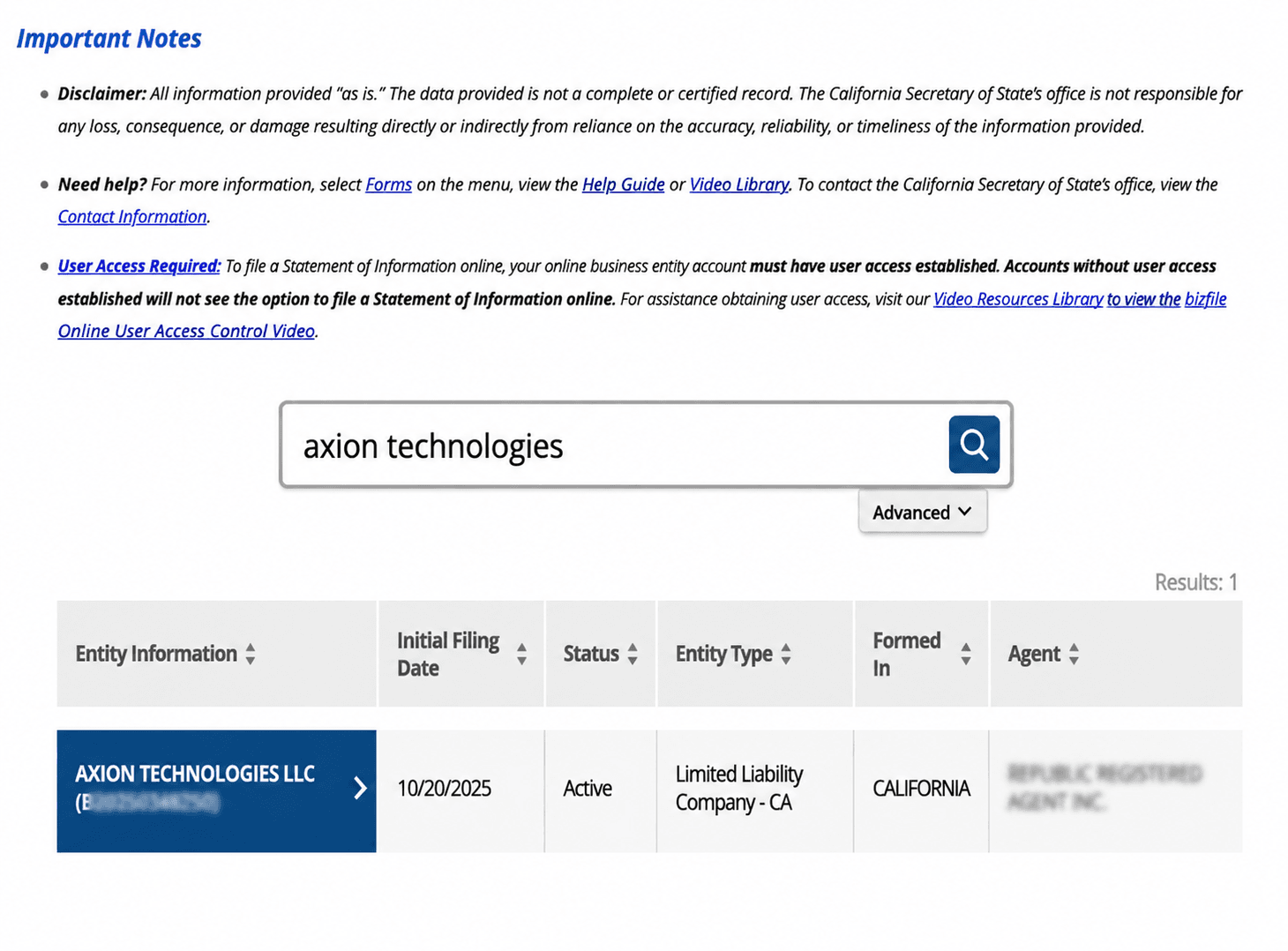
Note: A result showing "Active" status is not the same as an official Certificate of Status. For certified proof, order a Certificate of Status separately.
What the California Business Search Does Not Show
The California Business Search does not display:
- Owner or shareholder names for corporations, since these are not part of the public entity record
- Financial records, revenue figures, or bank account information
- Fictitious business names (DBAs), which are filed with the county clerk-recorder, not the Secretary of State
- A full certified filing history for free. You need to order a certified copy or a Certificate of Status for that
- Real-time Franchise Tax Board standing details beyond a suspension flag
One California-specific detail worth knowing: Unlike some states, California LLCs must disclose their managers (or members, if there is no manager) publicly. That information is filed on the Statement of Information (Form LLC-12), which the search tool links to directly.
If a listing shows "FTB Suspended" or "SOS Suspended," that means the entity has lost its rights, powers, and privileges in California. Resolving an SOS suspension is handled through the Secretary of State; resolving an FTB suspension requires contacting the California Franchise Tax Board directly.
Checking Name Availability for a New Business
If you are forming a brand-new California business rather than researching an existing one, the process is different from that in most states. California does not offer an available / not available search tool the way some states do.
Instead, you search the same Business Search tool yourself to see if an identical or confusingly similar name is already on file, then confirm the result officially by submitting a Name Reservation request.
How to Check California Business Name Availability
Step 1. Search the Business Database Yourself
Run your desired name through the same bizfileOnline Business Search tool described above. Look for exact matches and close variants. California treats names as the same if they differ only in capitalization, punctuation, spacing, or a required designator such as "LLC" or "Inc."
Step 2. Apply the "Distinguishable Name" Standard
California requires new names to be distinguishable on the record from every existing entity name. Adding a generic word, a different industry term, or a meaningfully different geographic reference usually clears this bar; changing punctuation, case, or diacritics alone does not.
Step 3. File a Name Reservation for an Official Answer
For a binding determination before you file formation paperwork, submit a Name Reservation. The Secretary of State either reserves the name for 60 days or notifies you that it is unavailable.
Step 4. Reserve or Try Again
If the name is approved, it can be held for 60 days. If you need more time, you can request another 60-day reservation for the same name, but California requires at least one day between back-to-back reservation periods for the same applicant. So, you cannot renew consecutively.
California’s Business Name Conventions
California sets specific naming rules depending on entity type. In general, all names must be composed of the English alphabet, Arabic numerals, or symbols listed in the California Code of Regulations, and must be distinguishable from every other name already on file with the Secretary of State [1].
General Restrictions For All Entity Types
- Cannot imply affiliation with government by including words like agency, bureau, board, commission, department, division, or municipal, or the name of a city, state, county, or country
- Cannot include "professional corporation" or its abbreviations unless the entity qualifies under the Moscone-Knox Professional Corporation Act [2]
- Cannot include insurance, assurance, reinsurance, or surety unless the entity is a licensed insurer
- Cannot include "foundation" or "charitable foundation," since this may mislead the public
Naming Rules for a California Corporation
Required designator: A California corporation name must include corporation/corp, company/co, incorporated/inc, or limited/ltd, or an abbreviation of one of these terms
Naming Rules for a California LLC
Required designator: A California LLC name must contain the words "Limited Liability Company," or the abbreviation "LLC" or "L.L.C."
Naming Rules for a California Limited Partnership
Required designator: A California limited partnership name must include "Limited Partnership," "LP," or "L.P."; limited liability limited partnerships use "LLLP" or "L.L.L.P." [5]
California Business Entity Search Costs
Service | Fee | What You Need |
General Business Search (entity lookup) | Free | Entity name or entity number |
Name Reservation (60 days) | $10 [4] | Proposed name and entity type |
Certificate of Status | $5 | Entity name or entity number |
Certified copy of a filing | $1 first page + $0.50 each additional page | Entity name or file number |
When to Consider a DBA (Fictitious Business Name) in California
If you plan to operate under a name different from your legal business name, you need a California Fictitious Business Name (FBN), commonly called a DBA. Unlike the entity search itself, FBNs are filed with the county clerk-recorder where the business is located, not with the Secretary of State. So, fees and exact steps vary by county.
Under California Business and Professions Code section 17917, once you file an FBN statement, you must publish it in a legally adjudicated newspaper once a week for four successive weeks, with the first publication completed within 45 calendar days of filing [3]. An affidavit of publication must then be filed with the county clerk within 45 days after publication finishes. Missing the 45-day window voids the statement and requires refiling.
The fees vary by county. Check with your county clerk-recorder for the exact current fee for your business's location.
A DBA does not create a new legal entity, and registering one does not by itself change your tax obligations or filing requirements.
Let Us File Your California Business
Once your entity and name search is complete, the next step is filing your formation paperwork. Swyft Filings has helped more than 600,000 businesses get started since 2015. We can handle your California LLC formation, registered agent service, and ongoing compliance so you do not have to track deadlines yourself. Let us handle your filing from name to formation today!
Bibliography
[1] California Secretary of State. Business Entity Names Regulations. Accessed July 20, 2026.
[2] California Legislative Information. TITLE 1. CORPORATIONS [100 - 14707]. Accessed July 20, 2026.
[3] California Legislative Information. Business and Professions Code Section 17917. Accessed July 20, 2026.
[4] California Secretary of State. Business Entities Fee Schedule. Accessed July 20, 2026.
[5] California Secretary of State. Name Reservations. Accessed July 20, 2026.