

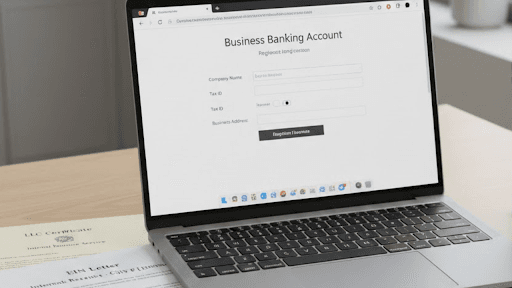
Opening a business bank account is necessary for LLCs and corporations. Find out what you need to open an account and choose the best banking options.
Key Takeaways
A business bank account separates personal and business finances, supporting legal protection.
Banks typically require an EIN, business formation documents, and government-issued ID.
A business checking account handles daily payments, expenses, and payroll.
Compare banks based on fees, transaction limits, digital tools, and customer support.
Online banks offer convenience and low fees; traditional banks offer in-person service and lending relationships.
Banks perform KYC identity verification, which may take a few business days.
Using one account for all business transactions simplifies bookkeeping and taxes.
After opening, update invoices, payment processors, and accounting software.
Are you still using a personal bank account for business income and expenses?
If yes, then it is a good time to make a small but important upgrade.
Opening a business bank account.
This becomes especially important if you have formed an LLC or elected S Corporation ( S Corp) status.
Your business becomes a separate legal entity when you set up an LLC or S Corp. This separation supports the liability protection your structure is designed to offer.
But that separation only works properly when your business finances are kept separate from your personal money.
This is what helps keep your business finances organized and separate.
This guide will walk you through what to do, which documents you need,
and how to choose the right account for your business stage.
Why Open a Business Bank Account?
- Liability protection: Keeping finances separate helps maintain a legal separation between you and your business.
- Purchase protection: Business bank accounts that offer merchant services provide customer purchase protection and safeguard personal information.
- Business credit: Some accounts offer credit options that may help as your business grows. These resources can help build a credit history for your business and lead to future financial growth opportunities, such as access to capital.
- Accounting processes: Keeping all your business transactions in one merchant account makes bookkeeping, such as invoicing and expense tracking, easier with each statement cycle.
- Tax preparation: Many business checking accounts seamlessly integrate with business accounting software, allowing you to quickly categorize expenses, compute deductions, and create reports like cash flow and income statements.
- Company image: Operating with a business bank account shows customers and vendors that you are a legitimate company.
Types of Business Bank Accounts
Account Type | Primary Purpose | Key Features | When You Need It |
Business Checking | Daily operations and cash flow | Standard deposits & withdrawals, debit card, ACH/wires, payroll/disbursements | All businesses need to manage revenue & expenses |
Business Savings | Save money and earn interest | Earns interest on balances, holds emergency funds, and links to checking | Businesses wanting to save for taxes, growth, or emergencies |
Merchant Services / Merchant Account | Accept credit/debit card payments | Processes card transactions securely, holds funds before settlement | Businesses selling products/services that need electronic payment acceptance |
Money Market / Investment-style Accounts | Higher yields while keeping liquidity | Often higher interest than savings, some check access | Businesses with larger cash reserves for longer-term savings |
Cash Management / Hybrid Accounts | Combine features of checking + savings | Online tools, liquidity plus growth | Businesses wanting both operational access and interest earnings |
What You Will Need Before You Start?
For All Business Types
- Government-issued photo ID (driver's license or passport)
- Social Security Number
- Business formation date
- Business physical address and phone number
- Initial deposit amount (typically $25-$100)
For LLCs Specifically
- Articles of Organization (from your state filing)
- Employer Identification Number (EIN) from the IRS
- LLC Operating Agreement
- Business license (if required in your industry/location)
- DBA (doing business as) certificate (if operating under a different name)
For S-Corporations Specifically
- Articles of Incorporation
- Corporate Bylaws
- EIN
- Business license
- List of shareholders and ownership percentages
Pro Tip: Don’t have your EIN yet? Get one free at IRS.gov in 10 minutes.[1] Banks typically require an EIN to open an account for an LLC or corporation. If you’d rather have help with the paperwork, services like Swyft Filings handle the IRS filing process for you and help keep your SSN private.
Step 1: Choose Your Account Type
Most new businesses need just one account to start:
Business Checking Account
- For daily operations, including:
- Receive payments
- Pay expenses
- Payroll
- Transaction fees vary by bank
- Often includes a debit card and check writing
You will add these later as you grow:
- Business Savings (for tax reserves and emergency funds)
- Merchant Services (for accepting credit card payments)
Decision point: Start with checking. Add savings once you have 3-6 months of operating expenses set aside.
Step 2: Research and Compare Banks
Here are what matters for new businesses:
Low Monthly Fees
It means more of your revenue stays in your business. Many strong options fall between $0 and $15 per month and offer simple ways to waive fees.
Healthy Transaction Limits
Your business transactions will increase as your business activity increases. Look for accounts that include at least 100 free transactions per month.
Low or No Minimum Balance
Your cash should stay available for operations. Accounts with a $0 to $1,5000 minimum balance offer more flexibility.
Reliable Digital Tools
A solid mobile app and integration make daily money management easier and reduce bookkeeping time.
Real Customer Support
Access to phone support can make a big difference when questions come up.
The Two-Bank Strategy (Recommended)
Open accounts at two different banks:
- Primary: Fintech bank for great UI and low fees.
- Backup: Local credit union or regional bank for stability and relationships.
Step 3: Start Your Application
Online vs. In-Person
Most banks now allow fully online applications:
- BlueVine, Novo, Chase: 100% online
- Takes 15-30 minutes
- Upload documents directly
Some banks require in-person visits:
- Traditional banks and credit unions
- Bring physical documents
- May get the same-day account number
What Happens During Application
- Enter business formation (name, EIN, address, formation date)
- Enter personal information for all owners with 25% + ownership
- Upload required documents
- Choose account features (overdraft protection, debit cards, etc.)
- Submit for review
Step 4: Pass Identity Verification
Banks are required by law to verify your identity (KYC: Know Your Customer Process).
What To Expect:
- ID document verification (automated)
- Possible video selfie to match your ID photo
- Background check on business owners
- Review of your business formation documents on the Secretary of State website
Timeline: 1-3 business days for online banks, same day for in-person applications
Factors That Can Slow Bank Approval
The bank reviews new business accounts carefully. A few common details can lead to extra review.
- Address differences across documents
- Very new business entities
- Certain regulated industries (cannabis, cryptocurrency, or adult services)
These situations do not mean you cannot open an account. They simply mean the bank may need a little more time or documentation.
Step 5: Fund Your Account
Once approved, you will receive:
- Account number and routing number
- Online banking login credentials
- Temporary checks (if requested)
How To Make Your First Deposit
- Electronic transfer from personal account (fastest)
- Mobile check deposit
- Wire transfer
- Cash deposit at the branch or the ATM
NOTE: Some banks require the account to be funded within 30 days to remain active.
How Much To Deposit Initially
- Check the bank’s minimum opening deposit requirement ($0 -$100 typically)
- Consider depositing enough to cover the first month’s expenses
Step 6: Set Up Your Account Features
- Enable online/mobile banking- Download the app
- Order debit cards for all authorized users
- Set up account alerts
- Connect accounting software
- Add authorized users
- Set up bill pay for a recurring vendor payments
- Enable mobile check deposit
Security Setup
- Enable two-factor authentication
- Set transaction limits
- Add fraud alerts
What is the Right Bank For Your Business Stage?
For New LLCs
One option to consider: Online-only banks
Many businesses choose BlueVine Business Checking [2]
- No standard monthly maintenance fee
- No minimum balance requirement on basic checking
- Fully online application and account management
- Designed for businesses that send invoices and receive electronic payments
- Built-in tools like bill pay, invoicing, and account management features
- FDIC insurance through partner banks
Good choice if your business operates mostly online and doesn’t rely on cash deposits.
Alternative: Novo Business Checking: Novo is a fintech platform. Middlesex Federal Savings, Member FDIC provide banking services.
Why it’s popular with new businesses:
- No monthly fees or minimum balance requirements
- Fully online and no branch visits required
- Built-in invoicing to bill clients and receive payments
- Integrations with common business tools and payment platforms
- FDIC insurance through its partner bank
- Best for freelancers, consultants, and e-commerce businesses that don’t need in-person banking
For Growing Businesses
One option to consider: Regional Banks or Credit Unions
Why transition:
- Building a banking relationship helps with future loans
- More stable than fintechs (fewer surprise closures)
- In-person support when you need it
- Better for businesses needing merchant services
What to look for:
- Business lending products are available
- Assigned relationship manager
- SBA loan partnerships
- Reasonable monthly fees ($10-$25 with waivers)
Example: U.S. Bank Silver Business Checking
- Full digital banking plus physical locations for in-person support
- No monthly maintenance fee option available on some entry-level packages
- Unlimited digital transactions (electronic deposits, ACH, transfers, debit card purchases)
- Limited free teller and paper transactions per cycle (e.g., 25 free; fees apply after)
- $100 minimum opening deposit
- FDIC-insured through U.S. Bank National Association
- Includes a Business Visa® Debit Card for purchases anywhere Visa is accepted
- Bill pay, mobile check deposit, and money movement tools included
For Established Businesses
One option to consider: Major National Banks
Chase Business Complete Checking or Bank of America Business Advantage
Why upgrade:
- Robust merchant services
- Business credit cards with rewards
- Payroll processing integration
- Branch network nationwide
- Higher transaction limits
Trade-off: Higher fees ($15-$25/month), but you get enterprise-grade tools.
Common Path Businesses Follow:
- Year 1: Online bank (BlueVine) + Credit union backup
- Year 2-3: Add a regional bank as you grow, keep the online bank for daily ops
- Year 4+: Consider a major bank for full service, maintain relationships with others
5 Common Mistakes to Avoid
1. Opening Just One Account
Relying on a single account can limit flexibility. A second account at another institution gives you an added layer of continuity and access if one account needs review.
2. Not Reading Fee Schedules
Some fees are easy to overlook, such as wire transfers, cash deposits over certain limits, or early account closure fees.
3. Choosing Based on Sign-Up Bonuses Alone
A one-time bonus can be helpful, but long-term costs matter more. Looking at estimated fees over the next few years gives a clearer picture of overall value.
4. Mixing Personal and Business Transactions
Keeping business and personal finances separate supports cleaner records and stronger liability protection. Once your business account is open, use it consistently for business activity.
5. Not Planning for Merchant Services
If you plan to accept card payments in the future, it helps to ask about merchant services during account setup.
6. Ignoring Accounting Software Integration
Manual data entry takes time each month. Confirming compatibility with tools makes bookkeeping more efficient and accurate.
What Happens After You Open Your Account?
Week 1: Administrative Setup
- Notify clients of new payment account
- Update invoices with new business account info
- Set up automatic transfers from the old personal account
- Update payment processor info
Week 2: Transition Period
- Monitor for any missed auto-payments
- Ensure all business income flows to the new account
- Keep your personal account open temporarily for safety
Week 2+: Full Operations
- Close or stop using your personal account for business
- Establish a monthly bookkeeping routine
- Review bank statements for accuracy
- Plan for quarterly tax payments from the business account
Build Your Banking Relationship
- Check in with the banker quarterly if using a traditional bank
- Ask about business credit card options after 6 months
- Inquire about the business line of credit once you show consistent revenue
- Explore business savings/CD rates for excess cash
Conclusion
Here is the checklist for you to start with:
- Gather all required documents (EIN, formation docs, IDs)
- Research and compare 3-5 banks
- Decide on primary and backup bank choices
- Complete online applications (15-30 min each)
- Wait for approval (1-7 days)
- Fund both accounts
- Set up online banking, debit cards, and alerts
- Connect accounting software
- Update client invoices and payment info
- Transfer business operations from the personal account
- Schedule quarterly banking relationship check-ins
Your business bank account is now the financial foundation of your company. Treat it accordingly.
Frequently Asked Questions (FAQs)
1. What is a business bank account?
A business bank account is opened under a business name and used solely for business transactions, not personal finances.
2. Should my LLC have its own bank account?
No law requires LLCs to have a separate business bank account; however, it’s essential to prove that your business and personal finances are separate in case of a lawsuit or liability.
3. What do I need to open a business bank account?
You must be prepared to share personal and business information and present the required business documentation. If you own an LLC or corporation, you must also have an EIN.
4. How do I open a bank account with an EIN?
When you open a business bank account for an LLC or corporation, you must present your EIN, which acts as the social security number for your business. You do not need an EIN to open a business bank account as a sole proprietorship.
5. How much money do you need to open a business bank account?
The amount of money you need to open a business bank account varies by financial institution. Some business checking accounts require no deposit, but most require at least $25. Business savings accounts usually require a larger deposit.
6. Can you open a business bank account with no money?
Depending on the financial institution, you can open a bank account with no money. However, some accounts require a deposit.
7. Can I use a normal bank account for my small business?
For most small businesses, it’s recommended to use a business bank account rather than a personal account to keep your finances separate.
Bibliography
- Internal Revenue Service. Do More With an IRS Account. Accessed on February 2, 2026.